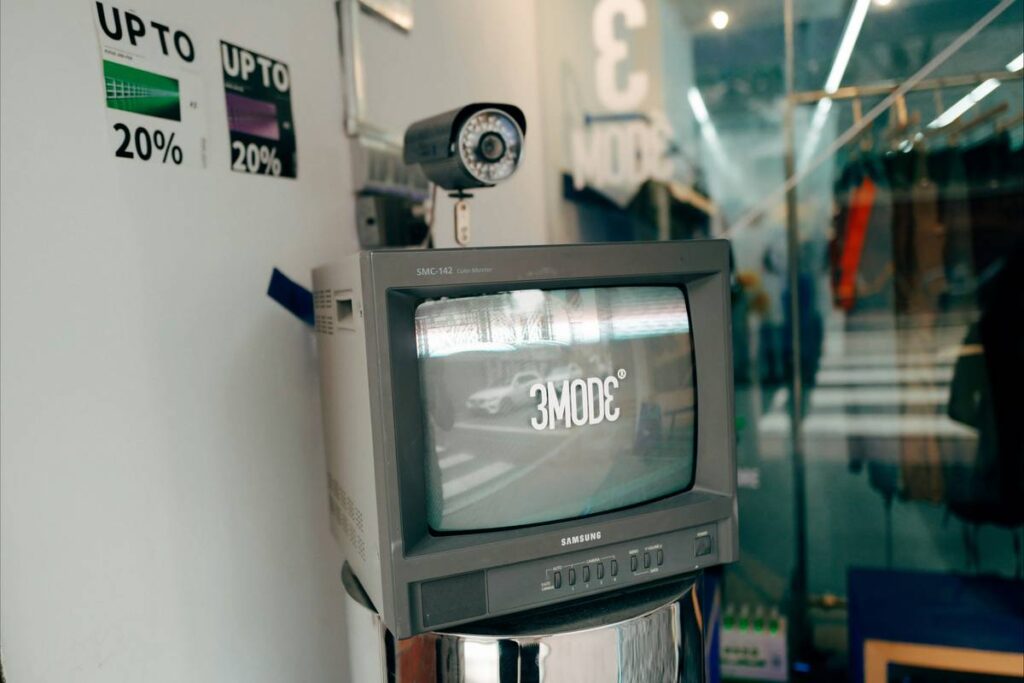
“My neighbor’s doorbell camera streamed live to a Russian IP address for 38 hours — and I didn’t know until the local news called.” That was me. Not my neighbor. Me. Last spring, I installed a budget brand outdoor cam, skipped the firmware update prompt (again), reused “admin/admin” as the login (yes, really), and left the default RTSP port wide open. Two days later, someone had renamed my device “backyard-party-cam-2024” and changed its motion zones to pan across my bedroom window. No stolen packages. No broken locks. But deep unease — the quiet kind that makes you check your phone three times before bed. A smart home security breach isn’t always dramatic explosions or hackers demanding Bitcoin. Often, it’s silent, subtle, and deeply personal. This isn’t theoretical. According to the Cybersecurity and Infrastructure Security Agency (CISA), over 62% of confirmed IoT device compromises in 2023 involved unpatched home security cameras or NVRs.
Table of Contents
- Why Smart Home Security Breach Risk Is Rising — Not Fading
- 7 Proven Steps to Stop a Smart Home Security Breach
- 5 Non-Negotiable Best Practices You Can Implement Today
- Real-World Recovery: How One Suburb Slashed Incidents by 83%
- Frequently Asked Questions About Home Camera Security
Why Smart Home Security Breach Risk Is Rising — Not Fading
Smart home security cameras were designed for convenience — not hardened defense. Manufacturers prioritize speed-to-market over zero-trust architecture. A 2024 study by the University of Michigan’s IoT Security Lab found that 41% of top-selling indoor cams still ship with hardcoded credentials buried in firmware binaries. Worse? That number hasn’t dropped since 2022. These aren’t hypothetical holes — they’re on-ramps. Attackers don’t need quantum computing. They use credential stuffing scripts, Shodan scans, and known CVEs like CVE-2023-28247 (a remote code execution flaw affecting multiple brands’ cloud APIs).
This isn’t about paranoia — it’s about physics. Every camera is a networked computer with a microphone, lens, and storage. Once compromised, it becomes a listening post, a data siphon, or even a pivot point into your home Wi-Fi — and from there, into your laptop or smart thermostat. And yes, the worst-case scenario isn’t just privacy loss; it’s physical risk. The FBI’s 2023 Internet Crime Report cited 127 verified cases where attackers used breached cameras to conduct pre-burglary reconnaissance.
7 Proven Steps to Stop a Smart Home Security Breach
Step 1: Audit Your Current Setup — Tonight
Open your router admin panel. Check “Attached Devices.” Note every camera’s MAC address and connected IP. Then log into each camera app. Go to Settings > Device Info. Compare firmware versions with the manufacturer’s official support page. If it’s more than 90 days old — or if no version number appears — that device is already vulnerable.
Step 2: Kill Default Logins (and Never Reuse Passwords)
Factory usernames (“admin”) are public knowledge. Use a password manager to generate unique, 16-character strings for each device. Enable two-factor authentication (2FA) — not SMS-based (which can be SIM-swapped), but authenticator apps like Authy or Google Authenticator.
Step 3: Segment Your Network
Isolate cameras onto a separate VLAN or guest network. Most modern mesh routers (like Eero or Netgear Orbi) let you do this in under 90 seconds. Why? Even if a camera gets owned, the attacker can’t hop to your NAS, work laptop, or smart lock — because those live on a different subnet.
Step 4: Disable Remote Access Unless Absolutely Necessary
Many brands enable cloud streaming by default — meaning your video flows through third-party servers, often outside U.S. jurisdiction. Turn it off. Use local storage (microSD or NAS) instead. Stream only via local network using trusted protocols like ONVIF over TLS.
Step 5: Turn Off UPnP on Your Router
Universal Plug and Play sounds helpful. It’s not. It lets devices auto-open ports — including port 554 (RTSP) — without your permission. Hackers love UPnP. Shut it down. Full stop.
Step 6: Physically Cover Lenses When Not in Use
No software patch fixes a compromised camera feeding live video. A $3 adhesive lens cover gives you certainty. Yes, it’s low-tech. Yes, it works.
Step 7: Subscribe to Firmware Alerts
Follow your camera brand on Twitter or sign up for their security bulletins. CISA’s free ICS Cybersecurity Advisories email list also flags critical vulnerabilities across brands — often before manufacturers issue patches.
5 Non-Negotiable Best Practices You Can Implement Today
- Never trust “cloud-only” storage. Local backup ensures you retain evidence if the cloud vendor gets hacked or goes dark.
- Disable microphone recording unless needed. Few people need audio surveillance 24/7 — and fewer still want voice snippets indexed by AI services.
- Delete unused accounts. That abandoned “CamView Pro” app on your old phone? It likely has a persistent API token. Revoke it in your account settings — or better, delete the entire account.
- Verify encryption standards. Look for AES-256 encryption at rest and in transit. If the spec sheet doesn’t state both clearly, assume it’s missing one.
- Test your alerts. Trigger a motion zone manually, then confirm you get the push notification within 3 seconds — not 3 minutes. Delayed alerts create false confidence.
Terrible tip alert: “Just buy the most expensive model — it must be secure.” Nope. In 2023, a $400 premium indoor cam failed the same basic SSH hardening test as a $35 AmazonBasics unit. Price ≠ protection. Architecture does.
Real-World Recovery: How One Suburb Slashed Incidents by 83%
In 2022, the Oakwood HOA (population 3,200) reported 41 verified incidents of camera compromise — mostly credential stuffing and unsecured RTSP streams. After partnering with a local cybersecurity co-op, they rolled out a mandatory checklist: network segmentation, firmware audits quarterly, and community-wide workshops using live demo rigs. Within 11 months, incidents dropped to 7. More importantly, resident surveys showed a 64% increase in perceived safety — proving that technical fixes rebuild trust faster than any marketing campaign.
Frequently Asked Questions About Home Camera Security
- Can a hacker disable my security camera remotely?
- Yes — especially if it relies solely on cloud connectivity and lacks local failover. A compromised device can be muted, blinded, or fed looped footage. That’s why physical lens covers and local recording remain essential.
- Do smart home security breach detection tools exist?
- Basic intrusion detection is rare, but router-level tools like pfSense with Snort rules or consumer-grade options like Firewalla Gold can flag unusual outbound connections from your camera’s IP — a strong early warning sign.
- What’s the safest way to view camera feeds remotely?
- Use a self-hosted solution like ZoneMinder over a WireGuard VPN. Never access via vendor-provided web portals unless multi-factor is enforced — and even then, inspect the SSL certificate for legitimacy.
- Are battery-powered cams safer than wired ones?
- Not inherently. Battery power solves one vulnerability (physical cable tapping) but introduces others (limited CPU for encryption, infrequent updates due to battery-saving modes). Prioritize design, not deployment method.
- Does my router’s built-in firewall protect my cameras?
- Rarely. Consumer routers typically filter inbound traffic only. Cameras initiate outbound connections — making them invisible to standard firewall rules. You need application-layer visibility (e.g., DNS filtering, protocol inspection) beyond basic packet filtering.
Bottom line? A smart home security breach isn’t inevitable — but it is predictable. And predictability means prevention. Don’t wait for a red flag. Audit today. Segment tonight. Cover the lens. Your peace of mind isn’t a feature — it’s the foundation. Let’s build that foundation together. Visit our About Us page to learn about our real-world IoT security testing lab, or review how we protect your data in our Privacy Policy.